
You are standing next to your client. So you log.
In the trainer mode of the Myron app you start the session for your client and enter the sets. The last values are right next to them. On a tablet you run a small group with up to six clients.
Run a session for your client
You choose the client and start one of their sessions. The view is the app’s workout view, with their name in the header. Next to every set are the values from last time. At the end the session is in their account, with all sets, as if they had logged it themselves.
- Swap an exercise when the equipment is taken, from the alternatives in the plan
- On iPhone and iPad: enter sets by voice, with the client’s name first
- Also runs offline and syncs later
Small group on a tablet
On the iPad and on Android tablets you choose two to six clients. Each one gets a lane with their own plan, and you enter set after set without switching between clients.
Session pack
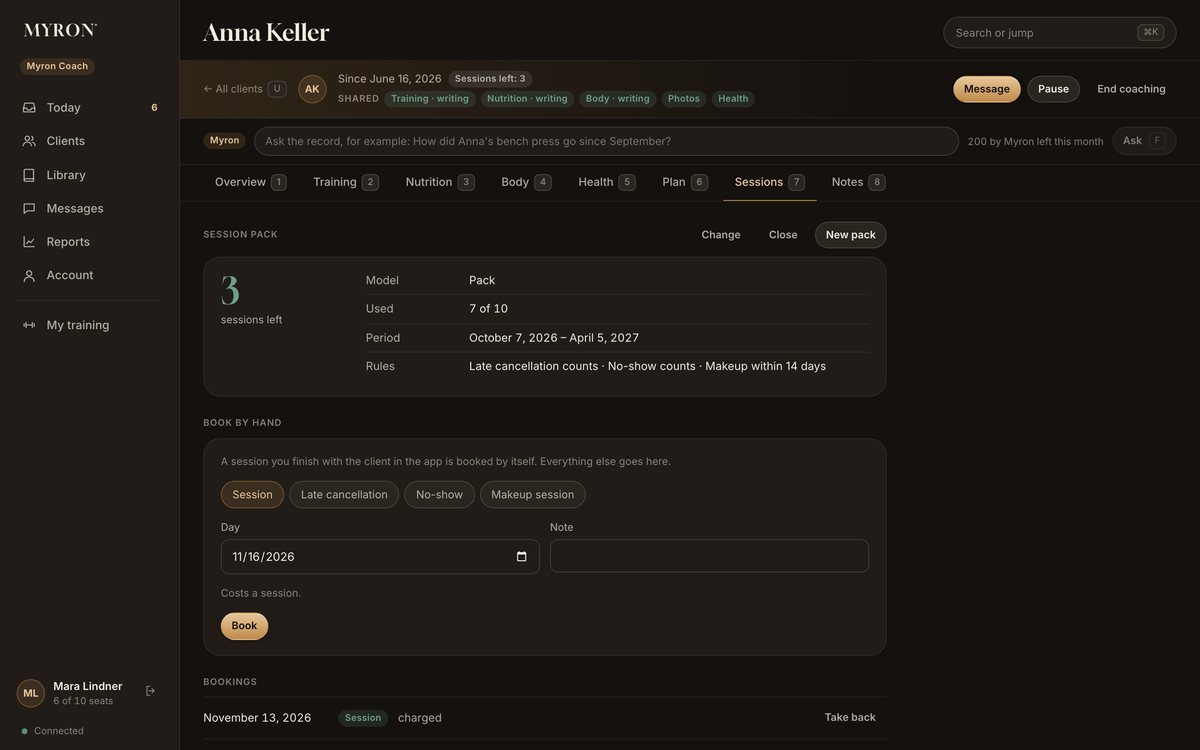
For each client you set up a pack, for example ten sessions with an expiry date, or a monthly model. Every session you finish in the app is deducted by itself. You decide whether a late cancellation and a no-show count and how long an appointment can be made up.
When a session pack runs low, it shows in your inbox. Your client sees in their app how many sessions are left.
Weekly slots and appointments
A client has their fixed place in your week, for example Tuesdays at 6 p.m. The appointments on “Today” come from it. If one is canceled or moved, your client gets a notification. Myron reminds them the evening before.
You subscribe to your appointments as a calendar address in Google Calendar, Apple Calendar or Outlook. Myron does not read your calendar.
What it is not
Myron Coach does not process payments and is not a booking system. Session packs count sessions. Your client does not book on their own, you create the appointments.
What works where
| Workspace in your browser | Create session packs, weekly slots and single appointments, book by hand, subscribe to the calendar. No live session in the browser. |
|---|---|
| Trainer mode on your phone | Live session with one client, cancel or move appointments, book sessions. |
| Trainer mode on your tablet | Same as on the phone, plus the small group with two to six clients. |
| On the client's side | Sees remaining sessions, the next appointment and all appointments in the calendar. The session appears in their history. |
Step by step in the handbook
- Live session: log in personHow to start a session for your client in the app's trainer mode, enter sets, swap exercises and run a small group on a tablet.
- Appointments and session packsHow to set up session packs and monthly models, book cancellations and makeup sessions, keep weekly slots and subscribe to your appointments in your calendar.
- Manage a client without the appFor clients who do not use Myron themselves: create a client file, log everything yourself and hand the file over to the client later with a code.
Frequently asked questions
Can I log the workout in the browser?
No. The live session runs in the trainer mode of the app on iPhone, iPad and Android. The browser is for planning and admin.
My client has no app. Does it still work?
Yes. Add them as a client without the app. You keep their client file and log their sessions. They can take it over into their own account later with a code.
How many clients can I log at the same time?
One on the phone, two to six side by side on a tablet.
Does Myron sync with my calendar?
Your appointments from Myron appear in your calendar if you subscribe to the address. The other way around, Myron does not read appointments from your calendar.
Goes well with this
- In-person personal training For trainers on the gym floor: live session, small group on a tablet, session packs and appointments.
- Program builder Training plans in a weekly grid, with the keyboard, history alongside and import from a spreadsheet, PDF or photo.
- Your clients' app Training, nutrition and watch in one app for iPhone, Android and the web. Free for your clients.
Start with two clients.
The Start tier costs nothing and does not expire. You sign in with Apple or Google, create your workspace and invite your first client.