
Less admin.
More time for your clients.
Myron Coach is the workspace for personal trainers and online coaches. You build programs, review check-ins, message your clients and guide their nutrition in one place. Your clients need just one app for it.
Your plan lives in a spreadsheet. Every week you copy rows and retype the same numbers.
Programs in minutes, not in spreadsheets.
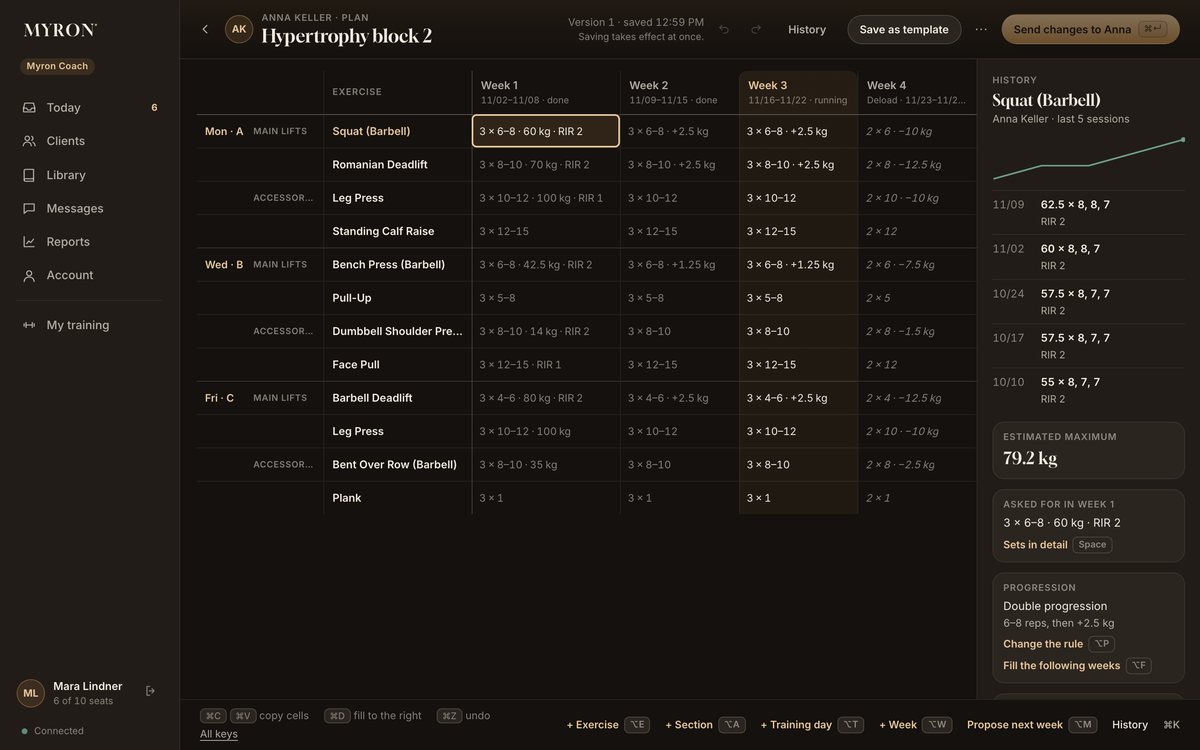
See the program builderThe program builder shows the whole block: weeks as columns, training days as rows. You type “3x8” into a cell, fill to the right and see next to it what your client actually lifted in their recent sessions.
- Copy, paste and fill with the keyboard, like in a spreadsheet
- Exercise history and estimated maximum right next to the cell
- Import an existing plan from a spreadsheet, PDF or photo and check it in the grid
- Progression per exercise: after a workout, next week's weight goes up, and the values you set by hand stay
Sunday night: twelve check-ins, and for each one you first have to pull together weight, workouts and sleep.
Check-ins that prepare themselves.
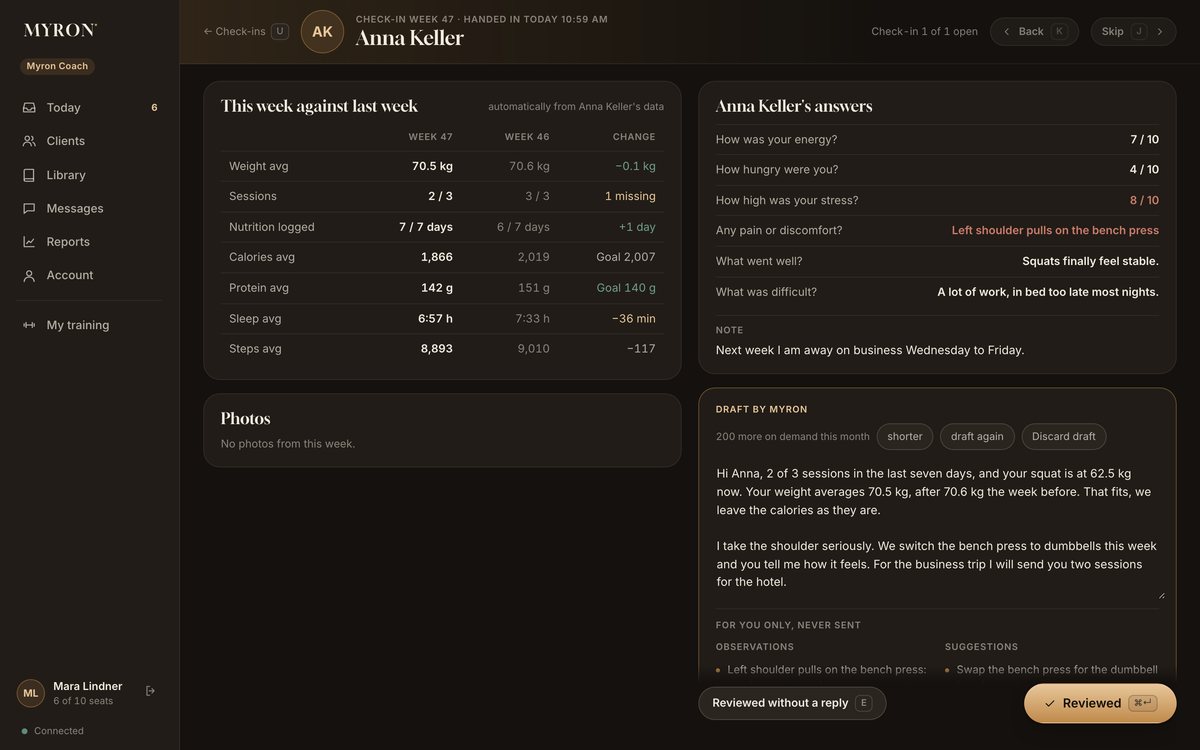
See check-insWhen your client submits a check-in, their week is already next to it: weight, sessions, nutrition, sleep and steps against the week before. If you want, a draft reply in your tone is waiting. You change what does not fit and move to the next one with a single key.
- Your client only answers what no watch measures: energy, hunger, stress, pain
- Answers that stand out are flagged
- Nothing goes to your client without you
Your client is supposed to train in one app, count calories in a second and message you in a third.
Your client has one app. And it does both.
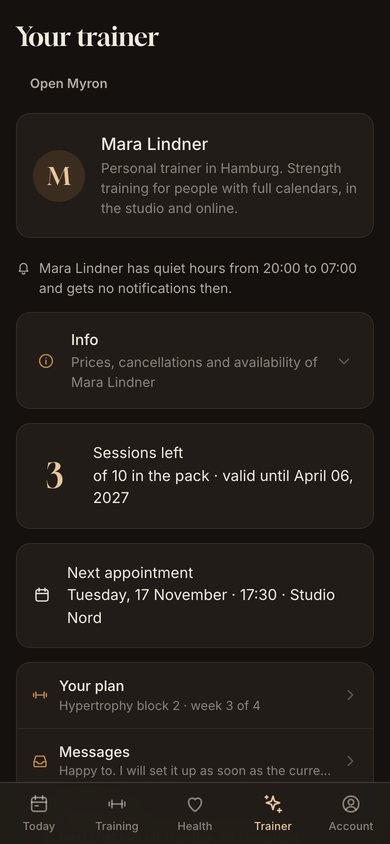
What your client getsYour clients use Myron, the app for training and nutrition, on iPhone, Android and the web. Your plan, your messages and the check-in are right where they already log. No second login, no syncing between two services.
- Workouts with a rest timer, offline too, and on an Apple Watch or Wear OS watch if they like
- Nutrition with barcode, voice and photo
- Free for your clients. They do not need a subscription
In person you keep records on paper, online in a different tool.
Online and in person in one.
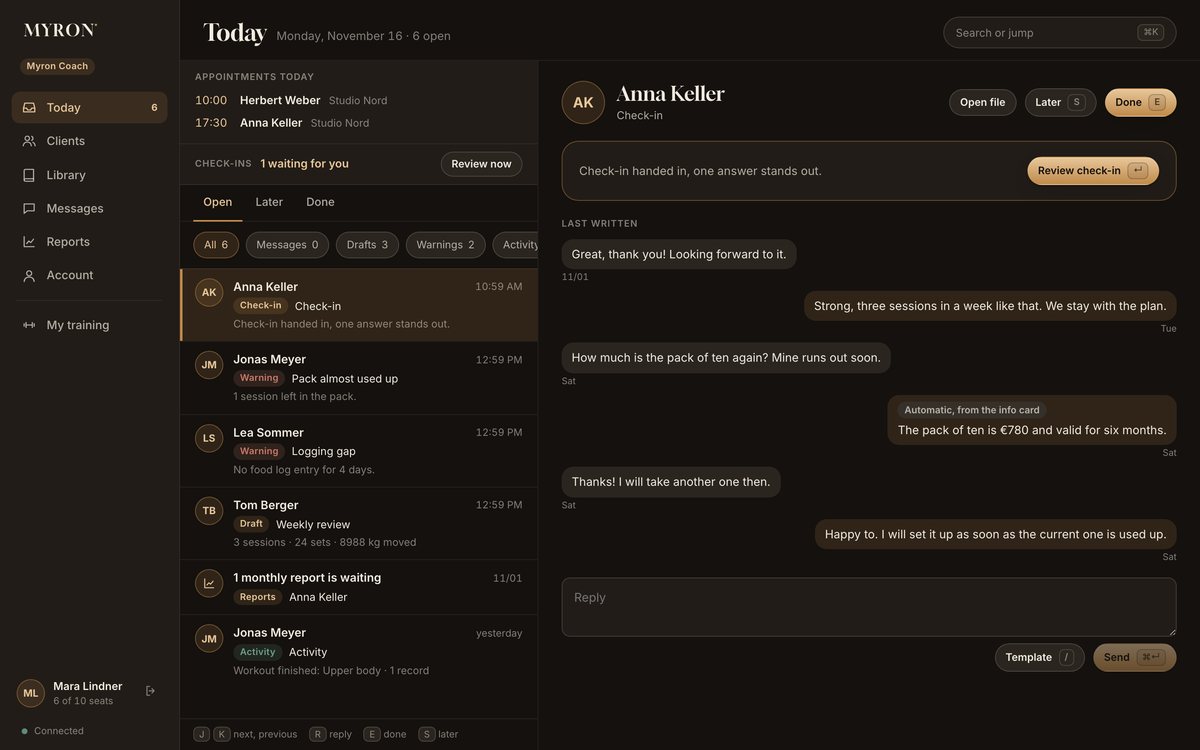
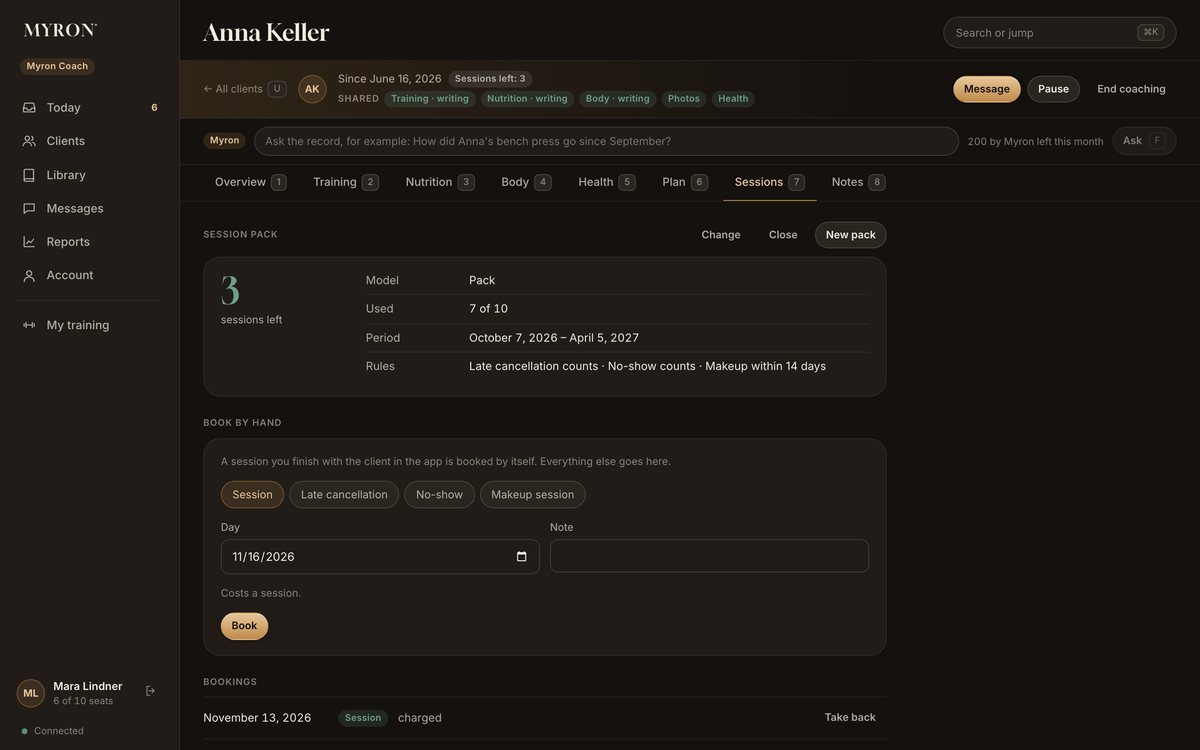
See the live sessionWhen you are standing next to your client, you start the session in the app's trainer mode and log for them. The last values are next to every set. On a tablet, up to six clients run side by side. The session lands in your client's account as if they had logged it themselves.
- On iPhone and iPad you can also enter sets by voice
- Session pack: every finished session deducts one session
- Weekly slots and appointments, as a subscription in your calendar
Your client asks what exactly you can see about them.
Your client decides what you see.
Privacy and trustWhen connecting, your client shares each category separately: training, nutrition, body, photos, health. What they do not share is grayed out for you. Every change you make in their account is in their access log. That keeps the conversation about data short.
- Changing what is shared, pausing or disconnecting takes effect immediately
- After disconnecting, your client keeps all their data and their plan
- Your notes stay private
Who Myron Coach is built for
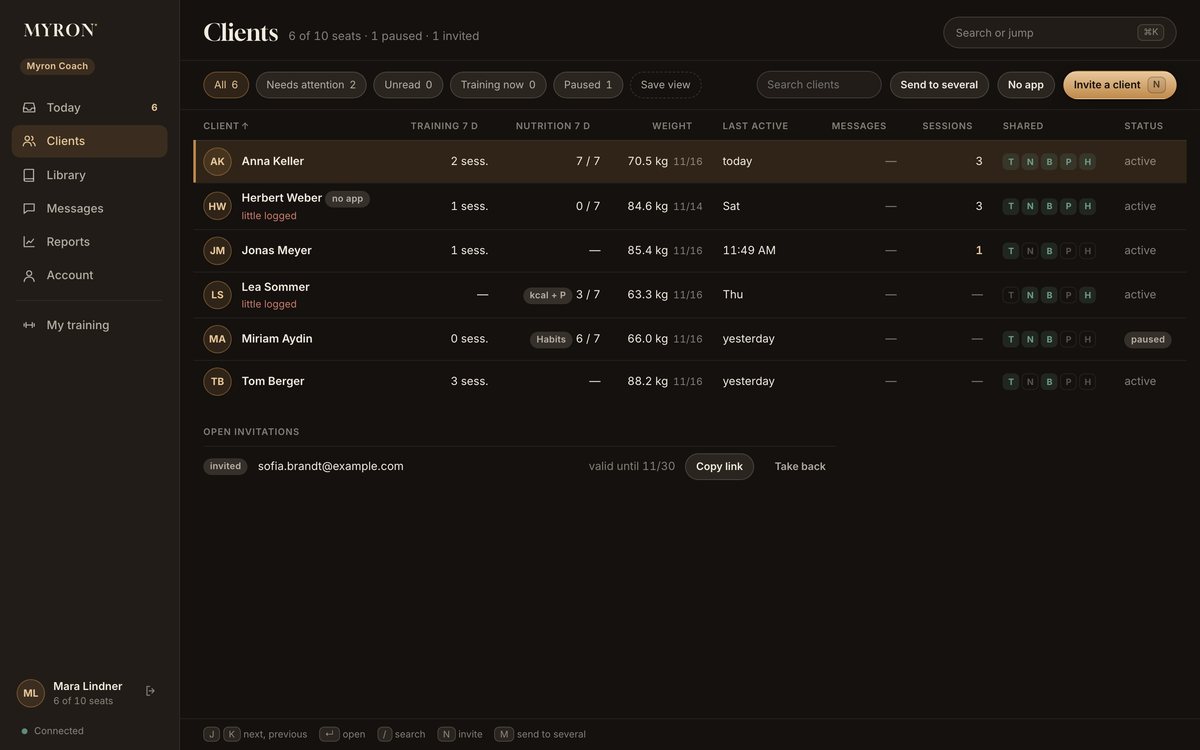
For independent trainers with a few to a few dozen clients. Whether you coach online, train in person or mix both.
- Online coaching For online coaches who work with clients remotely: programs, check-ins, form check videos and nutrition.
- In-person personal training For trainers on the gym floor: live session, small group on a tablet, session packs and appointments.
- Nutrition coaches For anyone who coaches nutrition only: sharing limited to nutrition, four modes, goals per day type.
How to get started
- Create your workspaceSign in at coach.myron.app with Apple or Google and give your workspace a name. It takes a minute.
- Invite clientsYou send a link or show the QR code. Your client chooses in the app what to share. Anyone who does not want an app runs as a client without the app.
- Assign a planBuild the program in the grid or import your existing plan. Assign it with a start date, and you are done.
Already working with another tool?
Then an honest comparison and a plan for the move are worth your time. You import your existing plans and invite your clients.
- Comparisons Myron Coach next to other tools for trainers, with sources and the date checked.
- Switching to Myron Coach What you can bring, what you cannot, and the order in which a move disturbs your clients least.
- Guides for trainers Check-ins, pricing, progression and leaving WhatsApp and spreadsheets behind. Practical, no sales pitch.
Pricing with no fine print
You pay by active clients. Every paid tier includes everything. Cancel monthly.
With yearly billing, 2 months are free. You can try any paid tier for 30 days without payment details. Paused clients cost nothing. All pricing details
Frequently asked questions
What is Myron Coach?
Myron Coach is software for personal trainers and online coaches. In your browser you build programs, review check-ins, message clients and set nutrition goals. Your clients use the Myron app for training and nutrition on iPhone, Android and the web.
How much does Myron Coach cost?
It costs nothing for up to 2 active clients. After that it is €19 a month for up to 5 clients, €29 for up to 10, €55 for up to 25, €95 for up to 50 and €159 for up to 100. There are no add-ons. See pricing.
Do my clients have to pay anything?
No. The plan, messages, check-ins, reports and tracking of training and nutrition are free for your clients. Myron Premium is a separate subscription for convenience features of the app. It is not included in Myron Coach, and nobody needs it to be coached.
Do I need a credit card to get started?
No. The Start tier with 2 clients runs without payment details and without an end date. The 30-day trial of a paid tier does not need a card either and does not turn into a subscription by itself.
Can I work without AI?
Yes. You turn off the AI drafts with one switch in your account. Programs, check-ins, messages and reports work just the same. What the AI does and does not do.
What if my client does not want to use an app?
Then you add them as a client without the app. You keep their client file and log their sessions yourself. If they want to join later, they get a code and take everything over into their own account.
Which languages is Myron Coach available in?
The workspace in your browser, the trainer mode in the app and your clients’ app come in German, English, French, Spanish and Italian.
Where is the data stored?
Your data is stored on servers in Germany. AI features send the necessary excerpt to Anthropic in the USA, which by contract does not use it to train its models. Who sees which data and what the AI receives is explained under Privacy and trust.
Start with two clients.
The Start tier costs nothing and does not expire. You sign in with Apple or Google, create your workspace and invite your first client.