
Calories & training · "Hey Myron" · iPhone + Apple Watch
Track without typing.
A coach that actually pays attention.
Myron logs your nutrition and training while you talk — on your iPhone or right from your wrist. And every Sunday you get an honest weekly review with adjustments you apply in one tap.

Android? Join the waitlist — the Android app is in closed testing.
"Tracking apps feel like bookkeeping."
Just say it. Myron gets you.
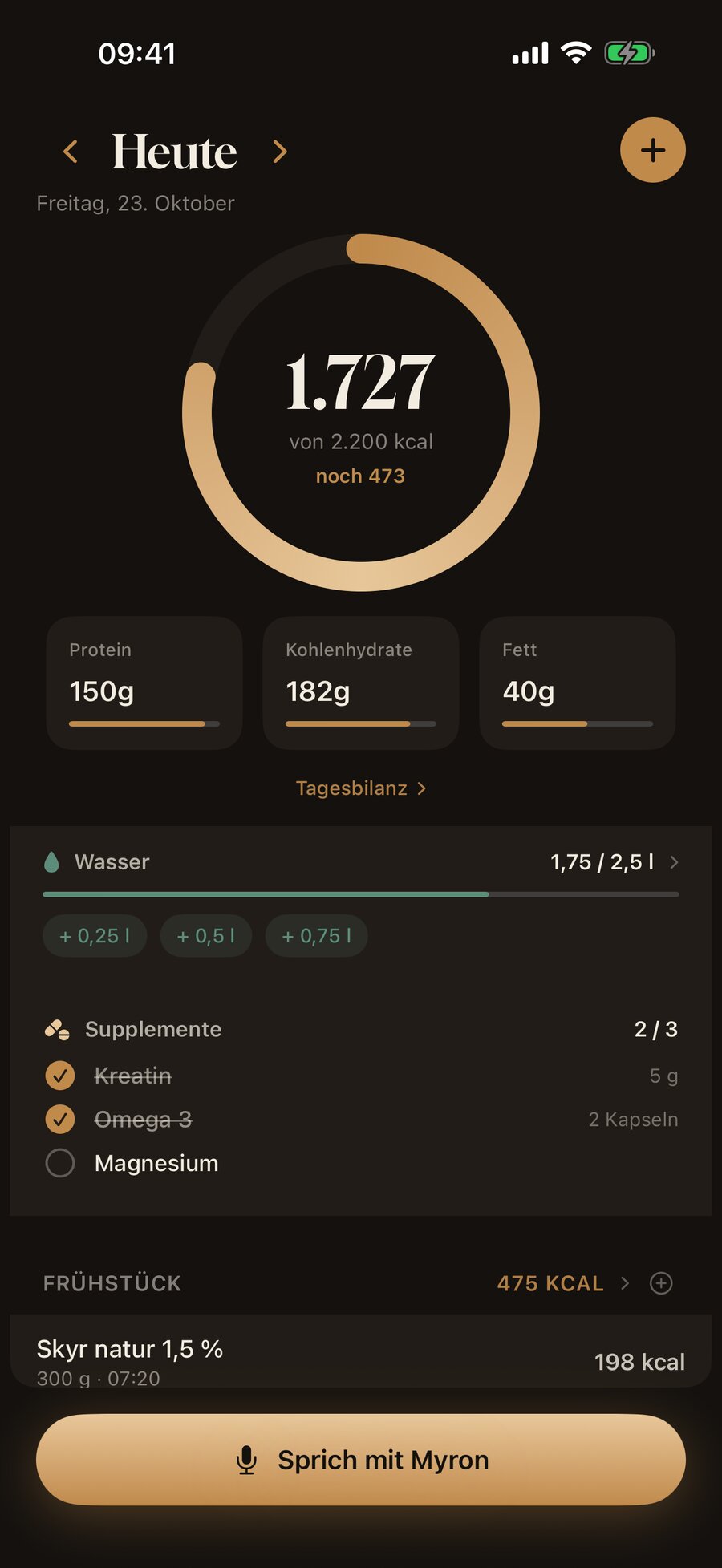
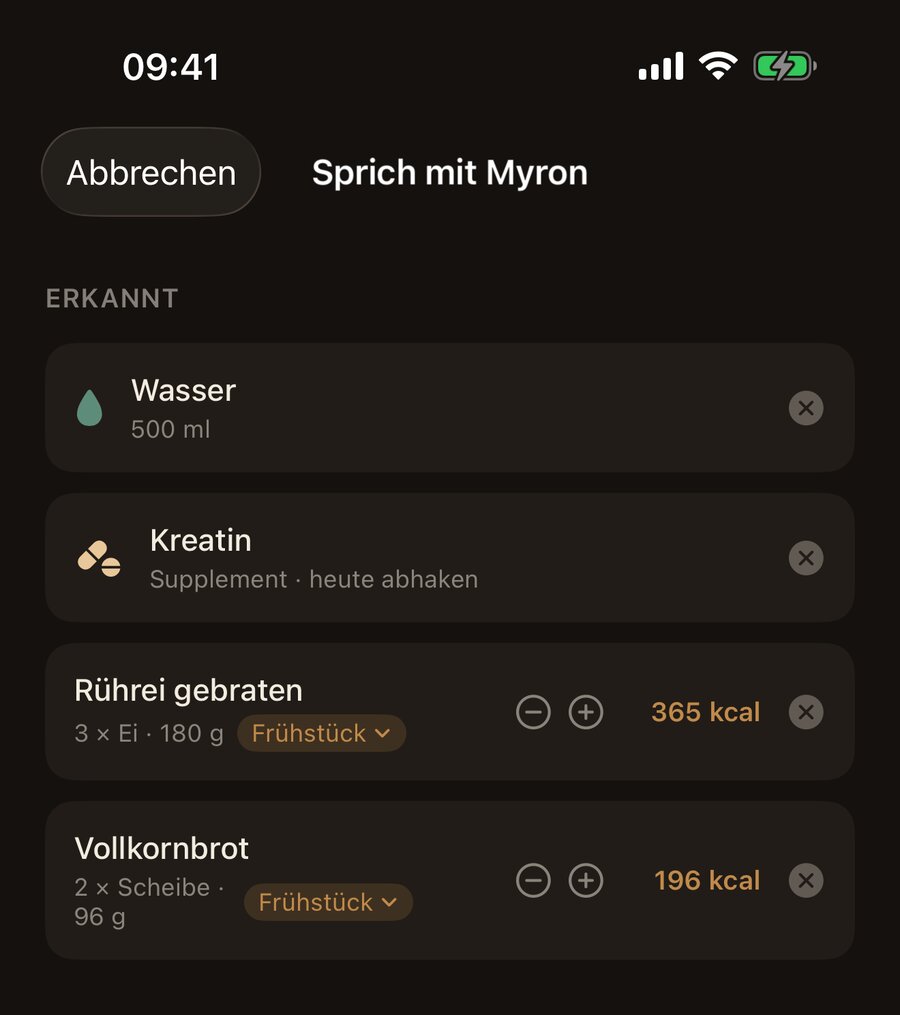
"Scrambled eggs from three eggs and two slices of whole-grain bread" — spoken, recognized, logged. Myron understands everyday language, real-world portions ("one slice", "a medium apple") and your own recipes. "Same as yesterday" works too.
- Official government nutrient database, over 7,000 foods
- Water and supplements too: "half a liter of water" or "took my creatine" — logged and checked off
- Barcode scanner for anything packaged — or photograph your plate and Myron recognizes the meal
- Food missing? The AI estimates the nutrition — you keep logging
- "Same as yesterday" in one tap: repeat meals or entire days
"Your app collects data. Then what?"
On Sundays, the coach speaks.
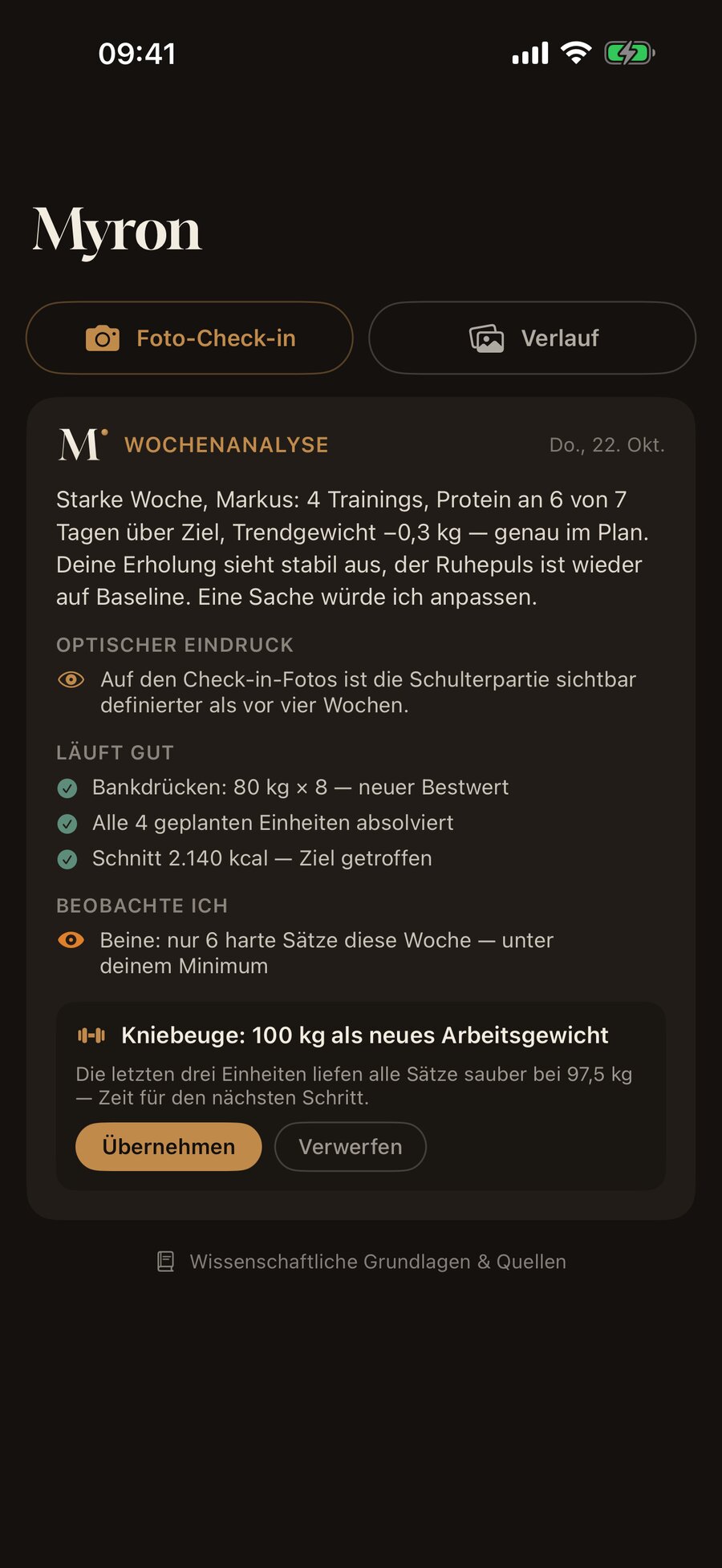
Myron sees the whole picture — weight trend, nutrition, training, steps, sleep, and your check-in photos if you opt in — and writes you an honest review every Sunday. No motivational fluff: concrete recommendations from an evidence-based playbook.
- "Bench press: time for 85 kg" — apply it in one tap
- Calories, step goal and deloads adjusted by Myron, with the reasoning
- He'll also tell you when everything's on track — and leave you alone
"The scale tells a different story every morning."
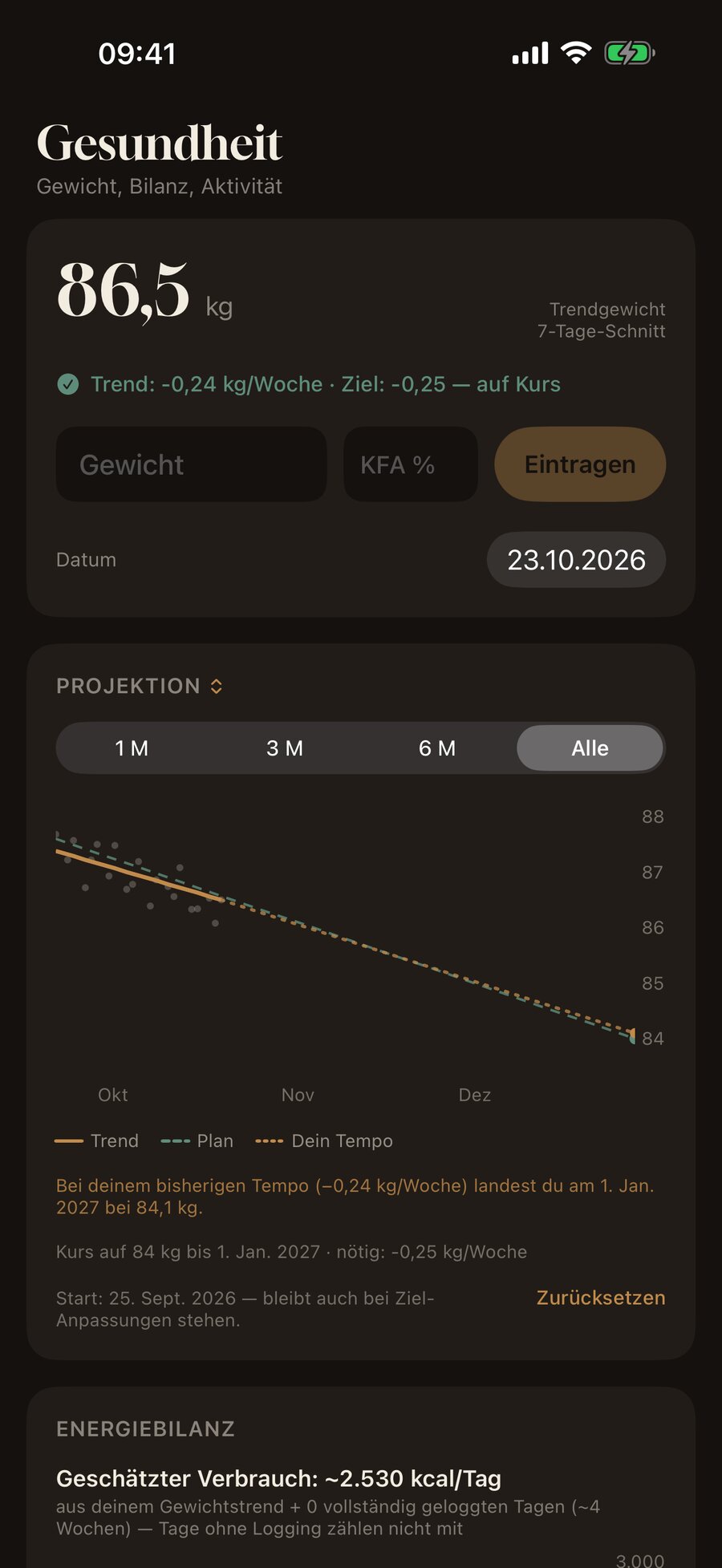
Trend, not daily noise.
Your trend weight smooths out the daily ups and downs and shows whether you're on course. And Myron doesn't estimate your energy expenditure from a formula — it computes it from your real data over the past weeks.
- Trend weight vs. goal path — at a glance
- Projection: when you'll reach your target weight — the plan line stays as the yardstick
- True expenditure from weight trend + nutrition
- Recovery status from resting heart rate, HRV and sleep
"Staring at your phone between sets."
Your training lives on your wrist.
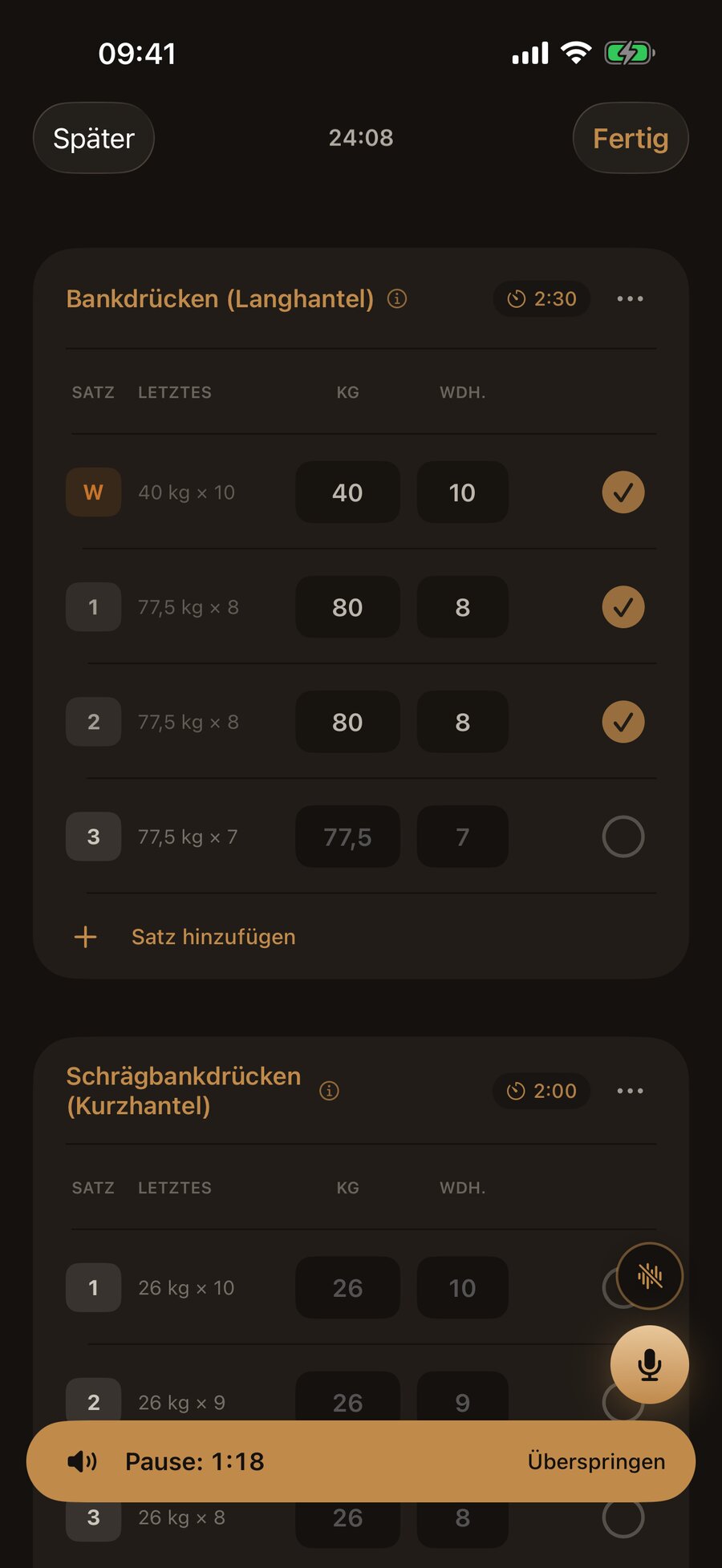
A personal plan with warm-up sets and progression, built during your onboarding. In the session, your last numbers are already filled in — just check them off. And the Apple Watch makes the iPhone in your bag redundant.
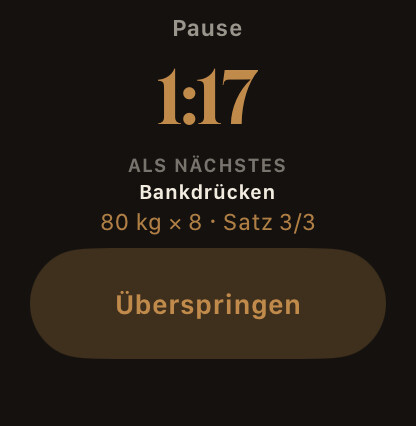
- Weight and reps via the Digital Crown — the rest timer already shows what's next
- Your lock screen shows the set and rest countdown (Live Activity) — no unlocking needed
- Heart rate and calories flow straight into Apple Health
"Chalk on your hands, sweat on the screen."
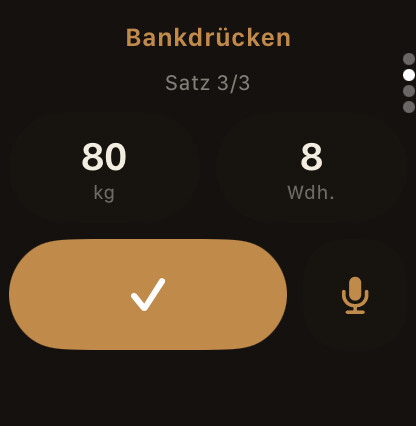
"Hey Myron, eighty kilos, eight."
Rack the bar, call out your set, done — Myron checks it off, starts the rest timer and pings you when it's time. Hands-free on iPhone or by dictation on the Watch. Speech recognition runs entirely on your device.
- "Again" repeats your last set, "one more set at 75" adds another
- Warm-up, drop set, to failure — Myron speaks gym
- "Undo" takes back the last command — without touching anything
"Are you training enough? How would you know?"
See that it's working.
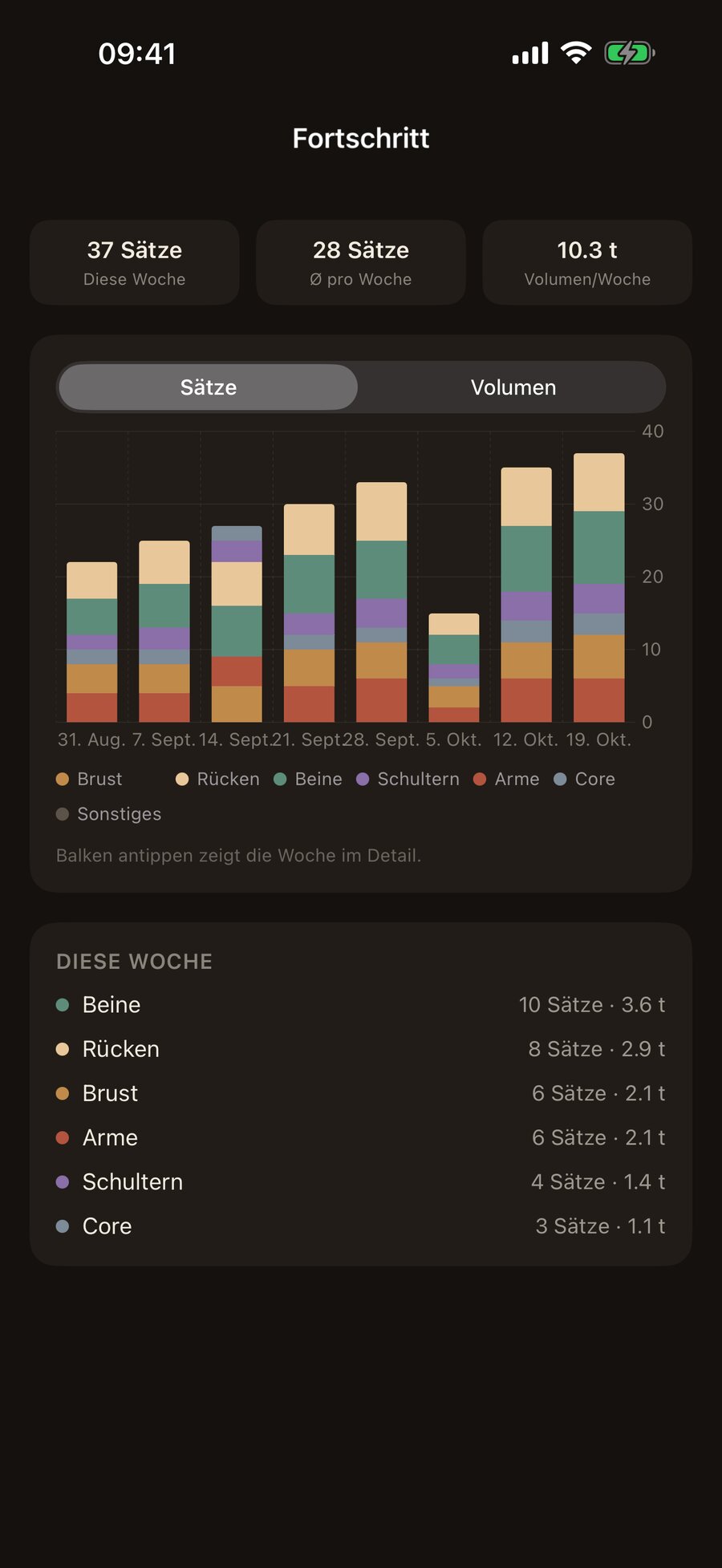
Myron counts your hard sets per muscle group and week — the number that actually drives muscle growth. Plus tonnage, personal records and the strength curve of every exercise. Deload weeks show up in the chart instead of in your imagination.
- Weekly volume by muscle group — chest to core at a glance
- Strength progression (e1RM) and personal records per exercise
- Hevy and MyFitnessPal import: your history counts from day one
New: recipe import
Saw the reel, tracked the recipe.
Share an Instagram reel, a TikTok video or a recipe page with Myron. The app reads the ingredient list, turns “1 tbsp oil” and “half an avocado” into grams and pulls nutrition from the catalog. Review, accept — done. How it works.
- Instagram, TikTok, recipe sites — or a screenshot of the ingredients
- Ingredients in grams, nutrition from official food databases and Open Food Facts, servings from the text
- One tap: recipe in the editor, every portion loggable
Built for real life. Not translated.
Germany's official nutrient database instead of a crowdsourced one — real foods, real portions. Plus barcode coverage via Open Food Facts.
Speech recognition runs on your device. Your data lives on servers in Germany. No ads, no tracking — not even on this page.
iPhone, Apple Watch, Apple Health — deeply integrated, not bolted on. Web dashboard for the big screen included.
Every recommendation — calories, protein, pace — has a scientific source, linked right in the app. How Myron computes things is documented openly in the methodology.
How to start
- Download. Myron is free on the App Store — no signup form, just Sign in with Apple.
- Talk. Answer the onboarding — Myron builds your plan and goals in the first conversation.
- Sunday. Track for a week, then your first coach report arrives. It gets better every week from there.
A fair split: tracking is free, coaching is the subscription.
Everything that costs us nothing extra costs you nothing too. You only pay for the AI layer — the compute behind voice, photo and coach.
Myron
€0 — forever
No subscription, no ads, no catch.
- Calorie tracking: search, barcode, recipes, quick logging
- Water tracking and a supplement checklist with reminders
- Complete workout journal with Apple Watch companion
- Training by voice — "Hey Myron" included
- Progress charts, trend weight, recovery status
Myron Coach
€9.99 / month
or €59.99 a year — roughly half off.
- Speak or photograph your meals instead of searching
- Weekly review with one-tap recommendations
- Photo check-ins: Myron sees your change
- AI nutrition estimates for your own foods
Prices include VAT, billed through the App Store, cancel anytime. Beta testers use everything for free during the private test.
Quick answers
What does Myron cost?
Tracking — nutrition, training, Watch, analytics — is free forever. The AI features (voice and photo logging, the coach) are part of "Myron Coach": €9.99 a month or €59.99 a year, with a 14-day free trial. Beta testers use everything for free.
Do I need an Apple Watch?
No. Everything works on the iPhone. The Watch just makes training and logging even more convenient — you can add one anytime.
I plan my own training — is the coach still worth it?
Yes. Set the coach to "nutrition only": Myron adjusts calories and macros to your weight trend and leaves your training plan completely alone. Your own routines — including Hevy imports — stay yours.
Is Myron available for Android?
Honest answer: not yet. We're launching with iPhone and Apple Watch, and the web dashboard is there from day one. Whether and when Android follows depends on demand — join the Android list and we'll let you know.
I'm coming from Yazio, MyFitnessPal or Strong — can I bring my data?
Yes. Myron imports exports from Strong, Hevy, MyFitnessPal, FDDB, Cronometer, GymBook and Alpha Progression directly; Yazio and Lifesum histories come in via Apple Health. Per-app guides under Switch apps.
What happens to my data?
It's yours. Servers in Germany, GDPR-compliant, and both built right into the app: a full data export as an archive and permanent account deletion in one tap. Your data is never sold and never used for advertising.
Who's building this?
Myron is built in Germany — by someone who tracks and trains every day and built the app out of sheer frustration with typing. Named after Myron of Eleutherae, the sculptor of the Discus Thrower.
Can I import recipes from Instagram or TikTok?
Yes. Share the reel or video with Myron: the app reads the ingredient list from the caption, converts household measures to grams and matches each ingredient to catalog nutrition. You review, accept and log portions. Recipe sites and screenshots work too — how the recipe import works.
Get your coach.
Myron is on the App Store — download it for free, track by voice, get coached on Sundays.
Android? Join the waitlist — the Android app is in closed testing.