
Coach nutrition without managing the training too.
You only coach nutrition, perhaps alongside a trainer. You need your client's food log, clear goals and a channel for questions. Nothing more, but done properly.
Your day-to-day, as it often looks today
Your client sends screenshots from a calorie app or makes their food log public so you can look into it. Goals are in a PDF file. Whether someone logs at all, you only find out in the next conversation.
Only the sharing you need
When you invite, you ask for the categories nutrition and body. You leave out training, photos and health, and your client can deselect anything you ask for. What they do not share, you do not see. That is cleaner than a public food log.
Four modes for four kinds of clients
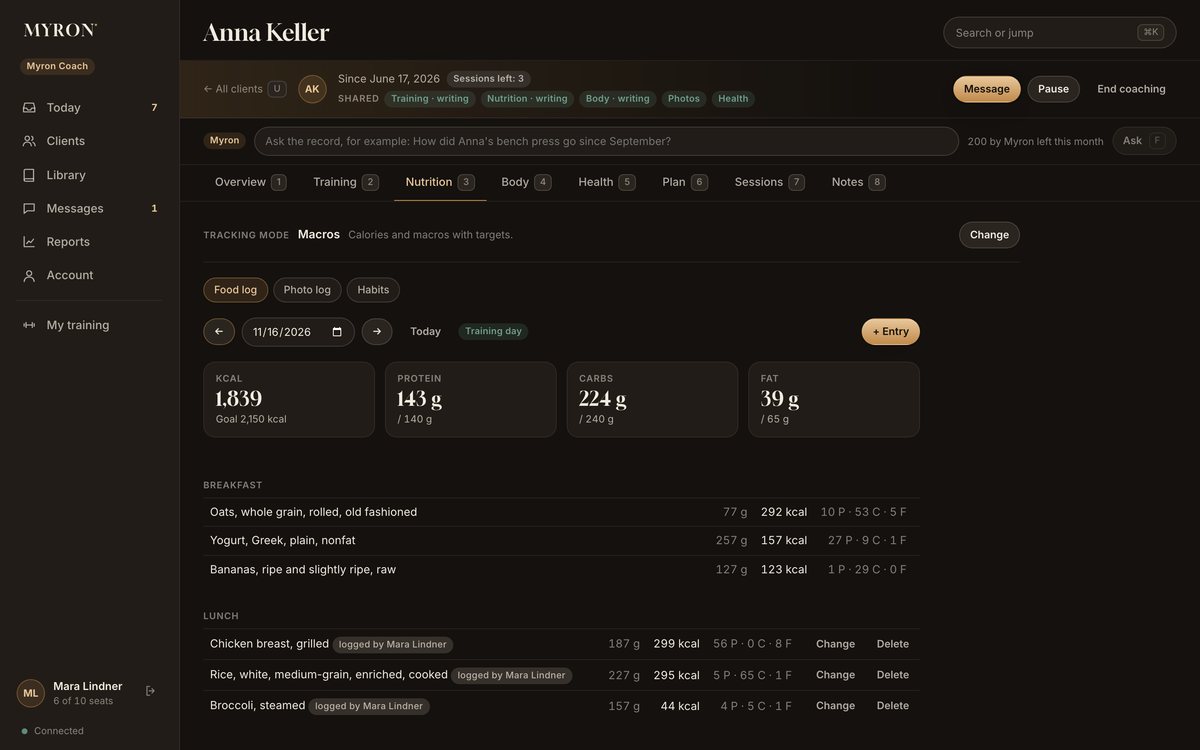
Macros for the precise ones, calories and protein for the pragmatic ones, photo log for everyone who is stressed by numbers, habits for getting started. You switch the mode as someone develops. The modes in detail.
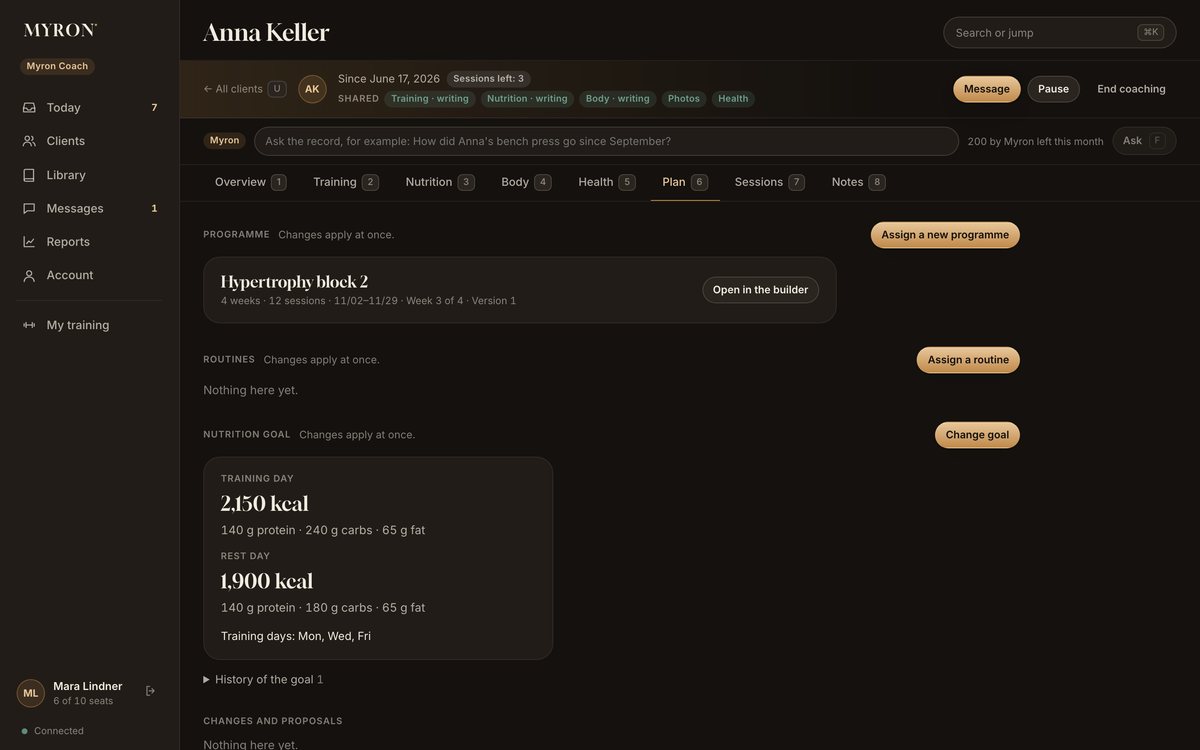
Goals per day type and a look at the week
You set goals for training days and rest days. In the client file you see the food log day by day against the goal and the weight with its trend. Your inbox shows who has not logged anything for three days.
Check-in and messages are part of it
The weekly check-in asks about hunger, energy and what was hard, and puts the numbers of the week next to it. Questions run in the thread instead of a private messenger.
What you should know
Myron Coach is built for coaching healthy adults, not for nutrition therapy for medical conditions. There is no meal planner. The nutrition values come from official tables such as the German Bundeslebensmittelschlüssel and from Open Food Facts. How Myron calculates is described in the methodology.
Step by step in the handbook
- Coach nutritionHow to choose a client's tracking mode, set goals for training days and rest days, create habits and log meals or weight for the client.
- Understand sharingWhich categories a client can share, what read and write access mean, what applies directly and what goes out as a proposal, and what the access log shows.
- Set up and answer check-insHow to build a check-in form, switch on the weekly check-in per client, review and answer submitted check-ins or fill one in for the client.
Frequently asked questions
Do I see my client's training?
Only if they share it. If you do not ask for it, the Training tab in the client file stays grayed out.
Can I set calorie goals directly?
Yes, if your client shares nutrition with write access. The change is in their access log.
Where do the nutrition values come from?
From official sources such as the German Bundeslebensmittelschlüssel, USDA, Ciqual and CREA, plus product data from Open Food Facts.
Goes well with this
- Nutrition coaching Macros, calories and protein, photo log or habits. One mode per client.
- Check-ins Weekly check-ins where your client's week is already next to the answers.
- Messages and info card One thread per client, templates, scheduled messages and a card that answers factual questions.
- Privacy and trust Who sees what, where the data is stored and what the AI receives.
- Pricing Six tiers by active clients. What each one costs and what the free one can do.
Start with two clients.
The Start tier costs nothing and does not expire. You sign in with Apple or Google, create your workspace and invite your first client.