
Your plans already exist. You do not have to retype them.
Most trainers arrive with years of plans: as spreadsheets, as PDFs, as a photo of the whiteboard. The plan import in Myron Coach reads exercises, sets and weeks from them and places the result in the grid as a draft. You check it before anything is saved.
What you can upload
The import takes what trainers really have lying around. A file can be up to 5 MB.
| Source | Format | Note |
|---|---|---|
| Spreadsheet | XLSX or CSV | Several sheets are fine, one per week for example. |
| Document | The export from your old tool, or a plan you sent to clients. | |
| Photo | JPG or PNG | A photographed printout or a whiteboard. The clearer the writing, the less you correct. |
| Text | pasted or TXT | Copied from a note, an email or a chat. |
How the import works
The import runs in the browser, in your workspace.
- Open the import. In the library, click “Import a plan”.
- Hand over the material. Drag the file in or paste text.
- Check the draft. Myron places weeks, training days, sections and sets in the grid. Exercises it could not match with certainty are flagged and show the words from your file.
- Choose the open exercises. For every flagged row, pick the right exercise from the catalog or from your own exercises.
- Save. As long as rows are open, the draft cannot be saved. After that it is a template in your library.
The handbook covers every step under Build and assign a program.
What the import recognizes
The import carries over what your material says and adds nothing of its own. If the source gives no weight or rest time, the field stays empty.
- Weeks, deload weeks included, and training days with a weekday if the source names one
- Sections such as warm-up or main work, supersets and circuits
- Sets and reps, ranges such as 8 to 10 included
- Weight, percent of max, RIR or RPE, tempo and rest, where they are written down
Where it stops
The import saves typing. It does not replace your check.
- It reads a plan, not client data. It does not carry over training history, measurements or notes.
- Formulas in a spreadsheet do not become progression rules. You set those per exercise after the import.
- Handwriting and photos taken at an angle lead to more open rows.
- The import works in the browser only, not in the app.
- Every import is an on-demand AI request and counts toward your allowance.
Without AI: copy cells
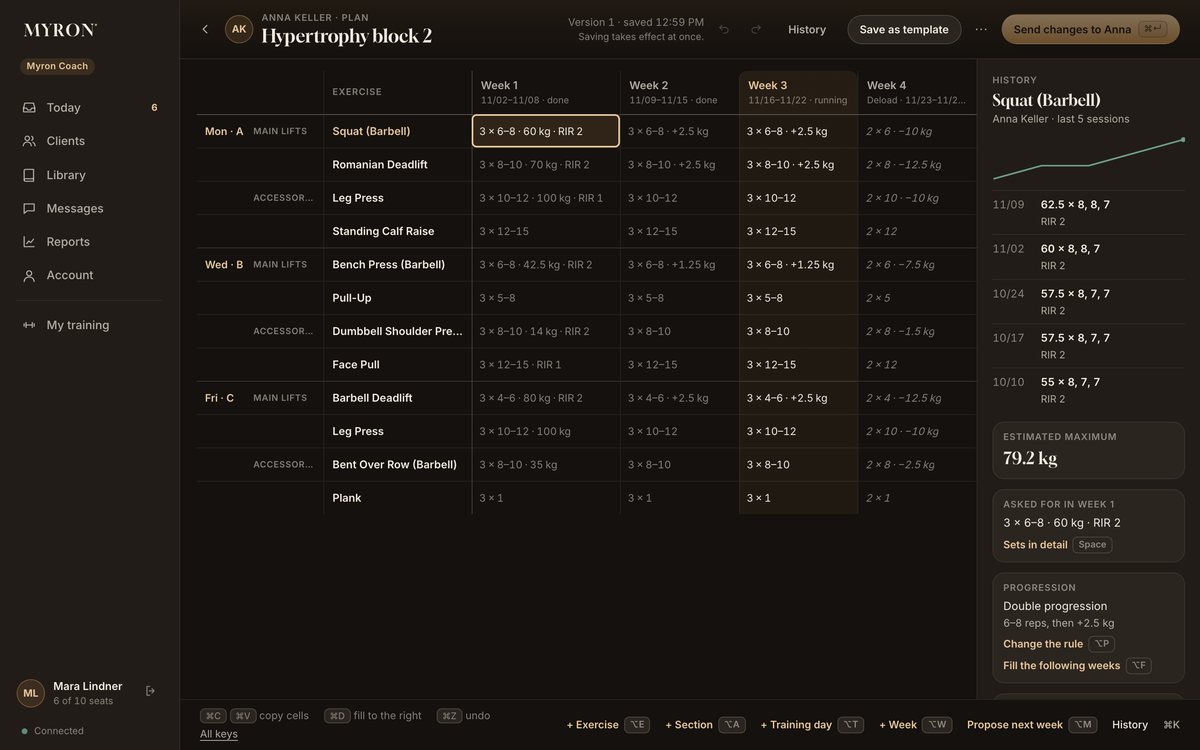
You can copy cells in your spreadsheet and paste them straight into the builder’s grid. That is not an AI request and does not count toward the allowance. For a single block you want to go through anyway, it is often the quickest way. More about the grid under Program builder.
What happens to your file
The file is sent to Anthropic in the USA to be read, which by contract does not use it to train its models. After reading, it is deleted. Only the draft you save is stored. If the file contains a client’s name, take it out first.
Step by step in the handbook
- Build and assign a programStep by step: create a training program in the weekly grid, fill cells with shorthand, import an existing plan and assign the program to a client.
- Set up progressionWhich progression rules the program builder offers, how a rule sets next week's weight after every workout and why the values you set by hand stay.
- AI requests and your monthly allowanceWhich drafts Myron writes by itself, which requests you trigger, how many are free per month, what goes to the model and how you switch the AI off.
Frequently asked questions
Can I import a plan from Trainerize or TrueCoach?
Not directly. If your old tool gives you the plan as a PDF or spreadsheet, or you can copy it as text, you import that file.
How many plans can I import?
As many as your AI allowance covers: 10 requests per calendar month in the Start tier, 20 per seat in a paid tier. Copying and pasting cells is not limited.
What happens to exercises Myron does not know?
They stay open in the draft and show the words from your file. You pick the matching exercise yourself. Nothing is replaced silently.
Does Myron import nutrition plans too?
No. The import reads training plans. In Myron Coach you coach nutrition through goals and tracking modes, not through meal plans.
Goes well with this
- Switching to Myron Coach What you can bring, what you cannot, and the order in which a move disturbs your clients least.
- Bring your clients Inviting by link, QR code or code, the file without the app, and how clients bring their history.
- Program builder Training plans in a weekly grid, with the keyboard, history alongside and import from a spreadsheet, PDF or photo.
- AI drafts Myron drafts, you decide. What the AI does, what it does not do and how to switch it off.
Start with two clients.
The Start tier costs nothing and does not expire. You sign in with Apple or Google, create your workspace and invite your first client.