
Switch tools without your clients losing a week.
Changing tools is work, and nobody takes all of it off your hands. Myron Coach has no automatic import from Trainerize, TrueCoach or any other coaching tool. Here is what you can bring, what you cannot, and the order that keeps things calm.
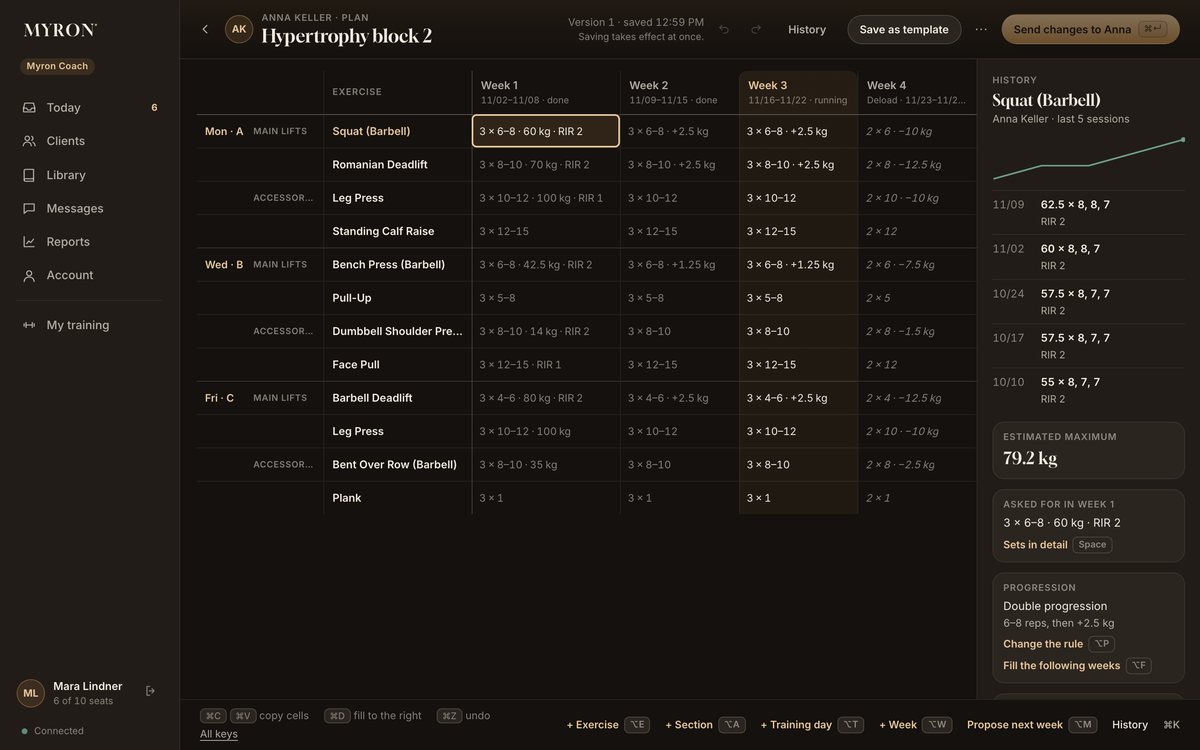
The two parts of the move
Your plans and your clients move separately. Each has a guide of its own.
What comes with you and what does not
The table holds for every move, whichever tool you come from, spreadsheets and PDFs included.
| What | Does it move? | How |
|---|---|---|
| Training plans and templates | yes | Import from a spreadsheet (CSV, XLSX), PDF, photo or pasted text. You check the draft in the grid. |
| Your clients | yes, by invitation | One link, QR code or code per client. Your client creates their own Myron account. |
| Clients who do not want an app | yes | You create a file without the app and keep it yourself. |
| Your clients' training history | partly | Not from coaching tools. From their own apps such as Hevy or Strong, your client imports it themselves. |
| Your clients' food diary | partly | Your client imports it themselves, from MyFitnessPal, FDDB or Cronometer for example. |
| Check-in forms and message templates | by hand | You set them up again in the library. A standard form is already there. |
| Message threads and past check-ins | no | They stay in the old tool. Save what you need first. |
| Payments, subscriptions and contracts | no | Myron Coach does not handle payments. Keep doing that the way you do it outside today. |
An order that disturbs little
Do not move every client on the same day. The Start tier is free, so Myron Coach can run next to your old tool.
- Save what is in the old tool. Export or copy what you will need later: plans, notes, measurements. Do it before you cancel.
- Create your workspace. It takes a minute and needs no payment details.
- Import your templates. Start with the two or three programs you assign most often.
- Begin with two clients. Pick clients who enjoy trying something new. You learn the routine before it affects everyone.
- Invite the rest. For more than 2 clients you need a paid tier or the 30-day trial.
- Start at the turn of the week. Assign every plan with a start date on a Monday. The week in the old tool then ends cleanly.
- Cancel the old tool. Only once the last client has moved.
What to tell your clients
For your clients the app changes, not the coaching. Tell them three things: the app costs them nothing. They decide which data you see. And the new plan starts on a fixed day.
Anyone who counted calories in another app until now can do that in Myron and no longer needs the second app. More under Your clients’ app.
What the import does with your data
The plan import is an AI request. The file is sent to Anthropic in the USA to be read, which by contract does not use it to train its models, and is deleted after reading. If your file contains a client’s name, take it out first. The rest is under Privacy and trust.
Step by step in the handbook
- Create your workspaceHow to get started with Myron Coach: sign in, name your workspace, agree to the terms and fill in your profile for clients.
- Build and assign a programStep by step: create a training program in the weekly grid, fill cells with shorthand, import an existing plan and assign the program to a client.
- Invite clientsHow to invite a client by link, QR code or code, what you ask for in the process and what happens when all seats are taken.
- Manage a client without the appFor clients who do not use Myron themselves: create a client file, log everything yourself and hand the file over to the client later with a code.
Frequently asked questions
Is there an import from Trainerize or TrueCoach?
No. There is no automatic import from another coaching tool. You import plans as a file or as text, and you invite your clients.
Will Myron move my account for me?
No. There is no migration service. If you get stuck with the import, support@myron.app will help.
Do my clients lose their training data so far?
What is stored in the old coaching tool stays there. Clients who logged in an app of their own, such as Hevy, Strong or MyFitnessPal, can import that history into Myron.
What does moving cost?
Nothing. The plan import counts toward your AI allowance: the Start tier includes 10 requests a month, a paid tier 20 per seat.
Can I use both tools side by side for a while?
Yes, and it is the calmest way. The Start tier does not expire.
Goes well with this
- Import training plans A spreadsheet, PDF, photo or text becomes a draft in the grid. Step by step.
- Bring your clients Inviting by link, QR code or code, the file without the app, and how clients bring their history.
- Comparisons Myron Coach next to other tools for trainers, with sources and the date checked.
- Pricing Six tiers by active clients. What each one costs and what the free one can do.
Start with two clients.
The Start tier costs nothing and does not expire. You sign in with Apple or Google, create your workspace and invite your first client.